
Skip to content

BMW 4 Series 2020 Key Fob & Car Keys

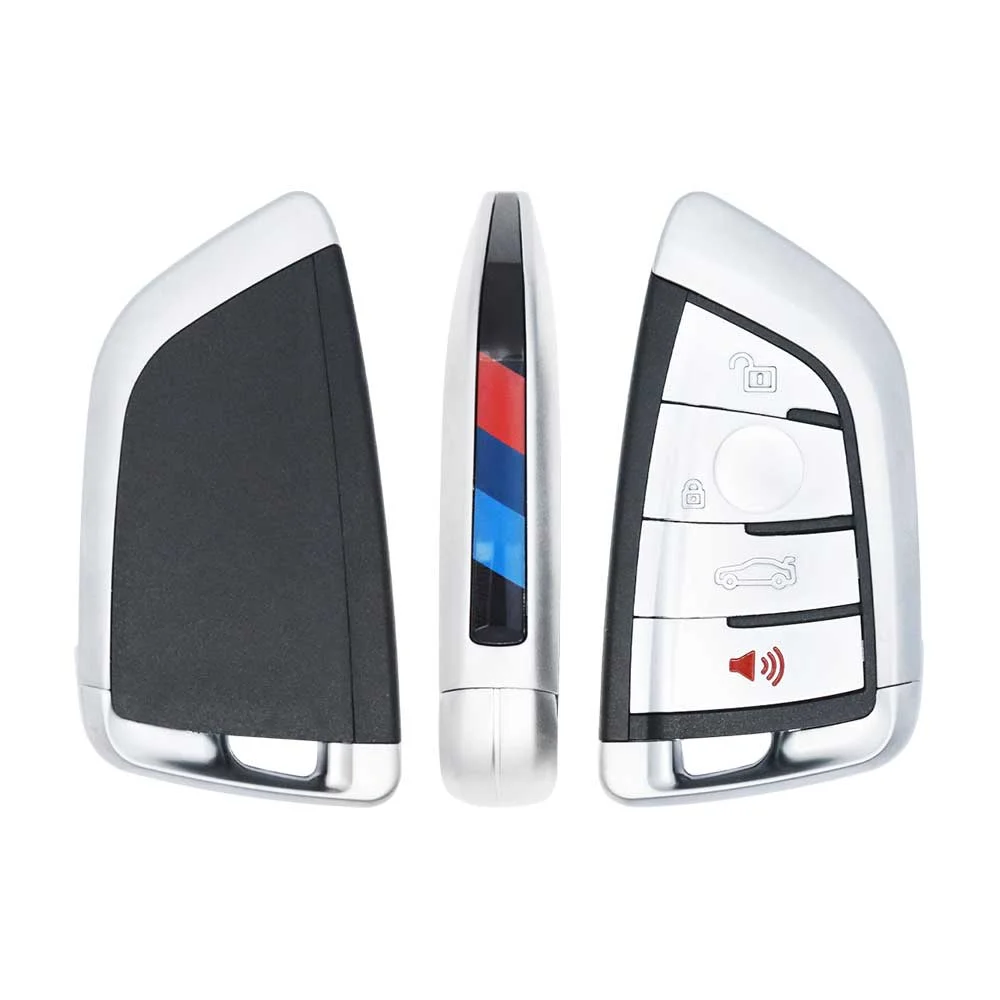
Keys that fit the 2020 BMW 4 Series: smart keys, 4 buttons. 1 compatible key, remote & shell (genuine and aftermarket) available for the 2020 BMW 4 Series.

Last updated: 2 October 2026

Key specifications for the BMW 4 Series 2020

Key types
smart keys, key shells and emergency blades
Buttons
4-button
Blade profile
HU100R

To pick the right part, match the part number or FCC ID printed on your original remote, or listed in the BMW parts catalogue, with the specifications on each listing.

A new smart key or remote has to be programmed to the car with a key programmer, and when every key is lost the programming is still done through the diagnostic port. We ship the key worldwide from the UAE by DHL and FedEx; any automotive locksmith or the dealer can cut and program it.

Programming the BMW 4 Series 2020 key

Smart key (push to start)

3 tools list this key. 1 of them list all keys lost.

All keys lost is listed by Xhorse VVDI2. Xhorse VVDI Key Tool Plus lists add key only.

Programming steps

Add key - Xhorse VVDI Key Tool Plus (BMW FEM/BDC)

Needs: working key, blank BMW key, FEM / BDC bench platform if done on the bench, stable 12 V supply

  1. Connect by OBD (or put the FEM on a bench platform) and open IMMO programming, BMW, FEM/BDC immo system, Key function.
  2. Back up the coding and the EEPROM data first.
  3. If the module has not been prepared before, run the FEM / BDC programming step the tool asks for so it can read key info by OBD.
  4. Read the key info with the working key at the coil.
  5. Choose an unused position and generate the dealer key from the working key.
  6. Learn the new key, then test start and remote.
Watch out: The first FEM / BDC preparation needs the module EEPROM read; do it with verified reads only. Keep a stable supply on the car throughout.
All keys lost - Xhorse VVDI2 (BMW) + VVDI Prog

Needs: engine ISN, VVDI Prog to read 95128 / 95256, blank BMW key, stable 12 V supply

  1. Back up the FEM coding by OBD.
  2. Remove the module, clean the EEPROM and read it with VVDI Prog several times until the reads match; save the original.
  3. In VVDI2 load the original EEPROM, save the service-mode file it generates and write that file to the chip.
  4. Refit the module, power it, connect OBD and run Program FEM.
  5. Write the original EEPROM back, refit the module and restore the coding.
  6. Read the engine data and work out the ISN, then prepare the dealer key with the ISN and learn it; test start and remote.
Watch out: Read the EEPROM until two reads are identical before writing anything. Keep a stable supply on the module during Program FEM.

When the key changed

Smart key (push to start)

  • 2014 - 2020This yearChip: ID49FCC: YGOHUF5767F32 / F33 / F36 (and M4 F82 / F83), FEM
  • from 2021Chip: ID49FCC: N5F-ID21AG22 / G23 / G26, BDC2 / BDC3; US model years from 2021

Check coverage first: support depends on the tool's software version and the exact model. A tool that is not shown here may still cover this car.

Frequently asked questions

Which keys fit the BMW 4 Series 2020?

1 listing fit the BMW 4 Series 2020: smart keys, key shells and emergency blades, in 4-button versions. Match the part number or FCC ID printed on your original key with the specifications on each listing.

Which blade profile does the BMW 4 Series 2020 key use?

The blades listed for this car: HU100R.

Which tools program a BMW 4 Series 2020 key?

The tool makers' coverage lists name Xhorse VVDI2, Xhorse VVDI Key Tool Plus and Autel KM100 (IKEY universal smart key) for this car; 1 of them lists all keys lost. Check your tool's latest coverage list before the job.