
Skip to content

Citroen Jumpy 2009–2016 Key Fob & Car Keys

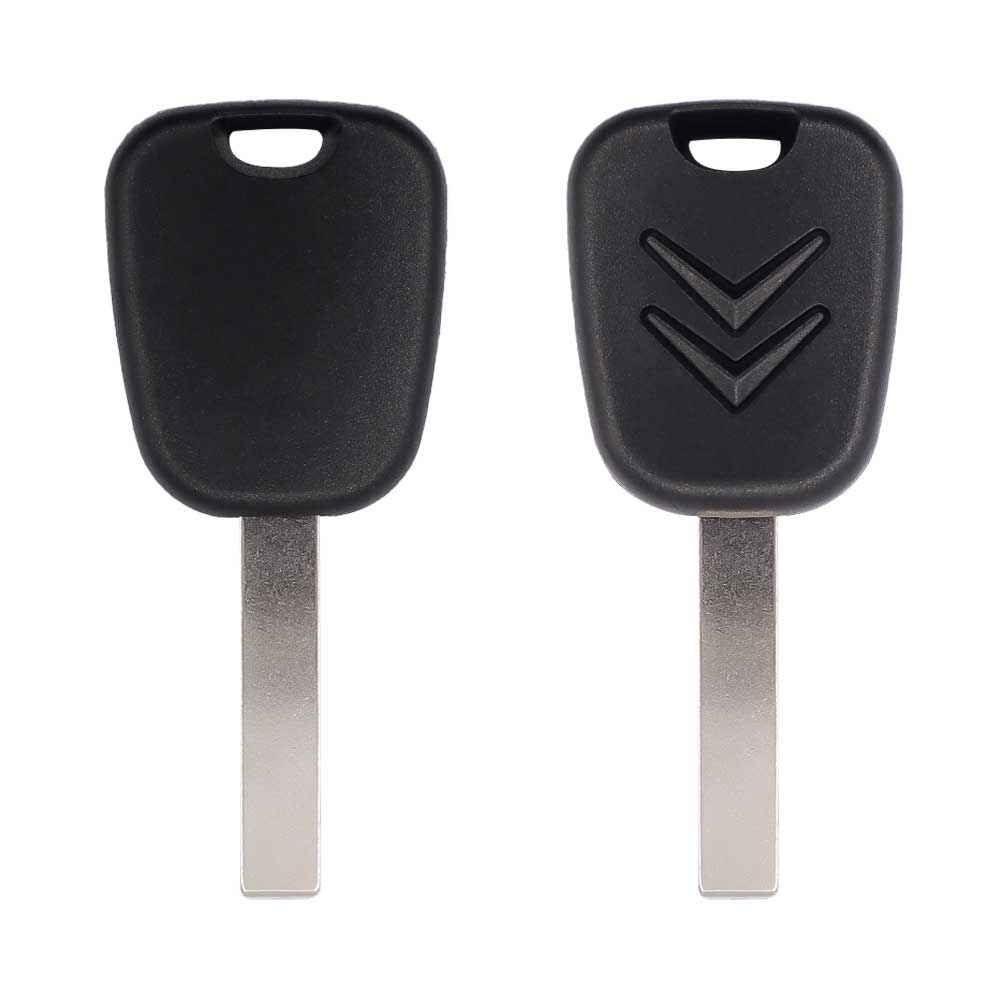
Keys that fit the 2009–2016 Citroen Jumpy: transponder keys. 1 compatible key, remote & shell (genuine and aftermarket) available for the 2009 Citroen Jumpy.

Last updated: 29 October 2026

Key specifications for the Citroen Jumpy 2009–2016

Key types
transponder keys, key shells and emergency blades
Blade profile
HU83

To pick the right part, match the part number or FCC ID printed on your original remote, or listed in the Citroen parts catalogue, with the specifications on each listing.

A new smart key or remote has to be programmed to the car with a key programmer, and when every key is lost the programming is still done through the diagnostic port. We ship the key worldwide from the UAE by DHL and FedEx; any automotive locksmith or the dealer can cut and program it.

Programming the Citroen Jumpy 2009 key

Smart key (push to start)

One tool lists this key.

  • OBDSTAR Key Master G3
    • Add key
    • All keys lost
    • Remote
    reads the PIN by OBD

Key with a blade (regular or flip)

One tool lists this key.

  • OBDSTAR Key Master G3
    • Add key
    • All keys lost
    • Remote
    reads the PIN by OBD

Programming steps

Add key - OBD key programmer with the PSA BSI menu (Lonsdor K518, OBDSTAR, Launch X431 IMMO, Abrites AVDI)(GCC / Europe cars)

Needs: working key, new ID46 remote key cut to the car (PCF7941 / PCF7961 type), PIN read by OBD, battery support unit, every key the customer keeps

  1. Connect the tool at the OBD port, put the car on battery support and switch the ignition on.
  2. Read the PIN from the BSI with the tool's PSA PIN function; some BSI types ask for several ignition off / on cycles during the read.
  3. Open key programming for the Citroen Jumpy (BSI), enter the PIN and give the number of keys to learn.
  4. Close all doors and the tailgate, then follow the ignition off / on prompts.
  5. Insert each key in the ignition in turn when asked, the new one and every old key the customer keeps.
  6. Test start, lock and unlock with every key. If a remote does not respond, switch the ignition on and press a remote button twice.
Watch out: The session learns the keys you present: bring every key the customer keeps. Low voltage at the BSI makes the PIN read fail; keep the battery supported. Keep the hazard lights on during the PIN read: it keeps the BSI awake.
All keys lost - OBD key programmer with the PSA BSI menu (Lonsdor K518, OBDSTAR, Launch X431 IMMO, Abrites AVDI)(GCC / Europe cars)

Needs: new ID46 remote keys cut to the car (decode the lock first, HU83 or VA2 as fitted), PIN read by OBD, battery support unit

  1. Decode the lock and cut the new keys; a cut key turns the ignition before it is learned.
  2. Connect at the OBD port with the car on battery support and switch the ignition on with a cut key.
  3. Run the all-keys-lost PIN read on the BSI (automatic scan in most tools) and note the result in the job card only.
  4. Open key programming, enter the PIN and give the number of keys to learn.
  5. Insert each new key in the ignition in turn and follow the prompts until every key is learned.
  6. Test start, lock and unlock with every key; if a remote does not respond, switch the ignition on and press a remote button twice.
Watch out: Program every key the customer needs in the same session. If the BSI voltage drops the PIN read fails; keep the battery supported. With all keys lost the PIN read can take 15 to 90 minutes with the ignition on, and not every tool reads it: check the tool's PSA list first. Keep the hazard lights on during the PIN read: it keeps the BSI awake.

Without a tool

The owner's manual describes a resync on the car after a battery change; adding a remote needs a tool.

Programming steps

Program the remote without a tool(GCC / Europe cars)

Needs: the remote key itself (already coded to the car)

  1. Wait at least one minute after fitting the new remote battery or reconnecting the van battery.
  2. Insert the key in the ignition with the remote buttons facing you and switch the ignition on.
  3. Within 10 seconds, hold the lock (padlock) button for at least 5 seconds.
  4. Switch the ignition off and wait at least one minute before using the remote.
  5. Test lock and unlock with the remote.
Watch out: This only re-initialises a remote already coded to the van, after a battery change or a flat van battery. A new or replacement key is programmed with a tool.

When the key changed

Key with a blade (regular or flip)

  • 1998 - 2001Chip: ID33(GCC / Europe cars)Jumpy I, early vans (twin of Expert / Scudo)
  • 2007 - 2016This yearChip: ID46433 MHz(GCC / Europe cars)Jumpy II flip key (twin of Expert / Scudo; Dispatch in the UK)
  • 2016 - 2024Chip: ID4A433 MHzBlade: HU83(GCC / Europe cars)Jumpy III flip key (Dispatch in the UK)

Check coverage first: support depends on the tool's software version and the exact model. A tool that is not shown here may still cover this car.

Frequently asked questions

Which keys fit the Citroen Jumpy 2009–2016?

1 listing fit the Citroen Jumpy 2009–2016: transponder keys, key shells and emergency blades. Match the part number or FCC ID printed on your original key with the specifications on each listing.

Which blade profile does the Citroen Jumpy 2009–2016 key use?

The blades listed for this car: HU83.

Which tools program a Citroen Jumpy 2009–2016 key?

The tool makers' coverage lists name OBDSTAR Key Master G3 for this car; 1 of them lists all keys lost. Check your tool's latest coverage list before the job.

Can the Citroen Jumpy 2009–2016 remote be programmed without a tool?

The owner's manual describes a resync on the car after a battery change; adding a remote needs a tool.