Skip to content

Ford F-550 2015 Key Fob & Car Keys

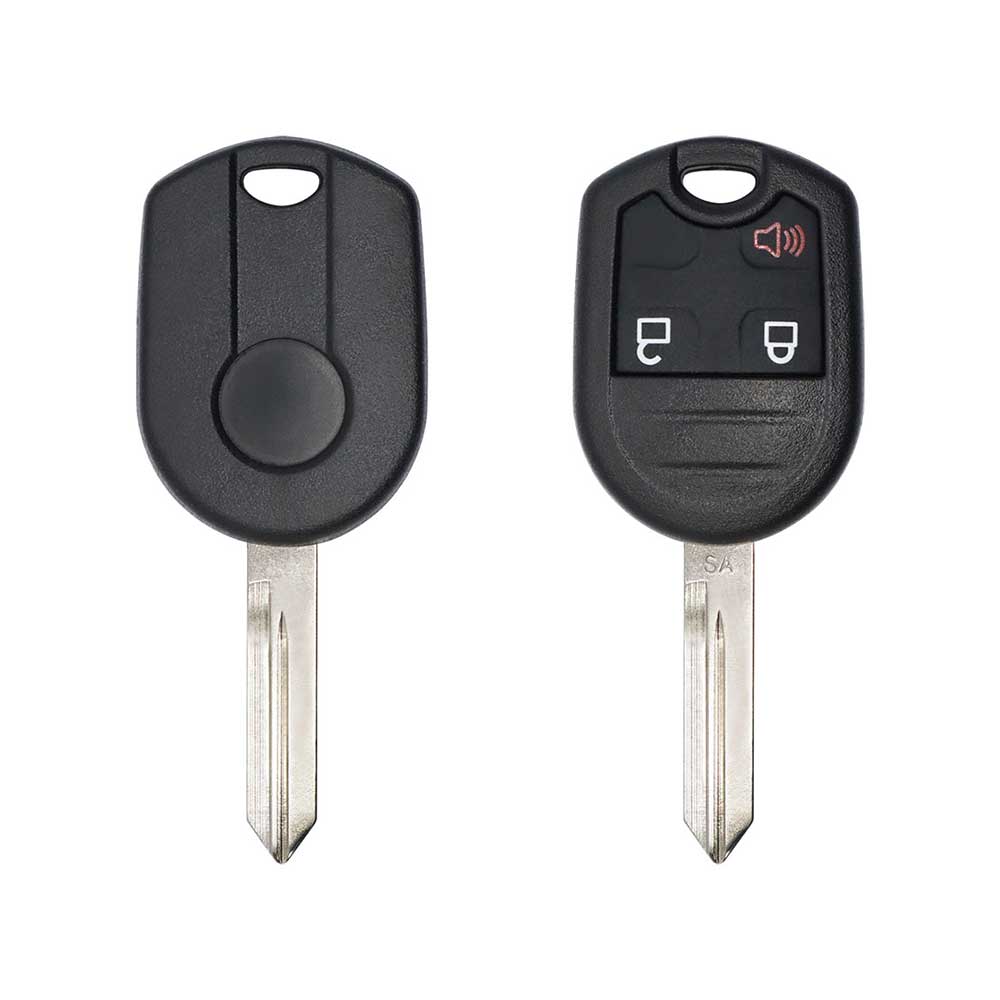
Keys that fit the 2012–2016 Ford F-550: remote keys, 3 buttons, FCC ID 0UCD6000022 or CWTWB1U793, 4D-63 or ID49 (HITAG Pro) chip. 5 compatible keys, remotes & shells (genuine and aftermarket) available for the 2015 Ford F-550.

Last updated: 17 November 2026

Key specifications for the Ford F-550 2012–2016

Key types
remote keys, key shells, emergency blades and key blanks
Buttons
3-button
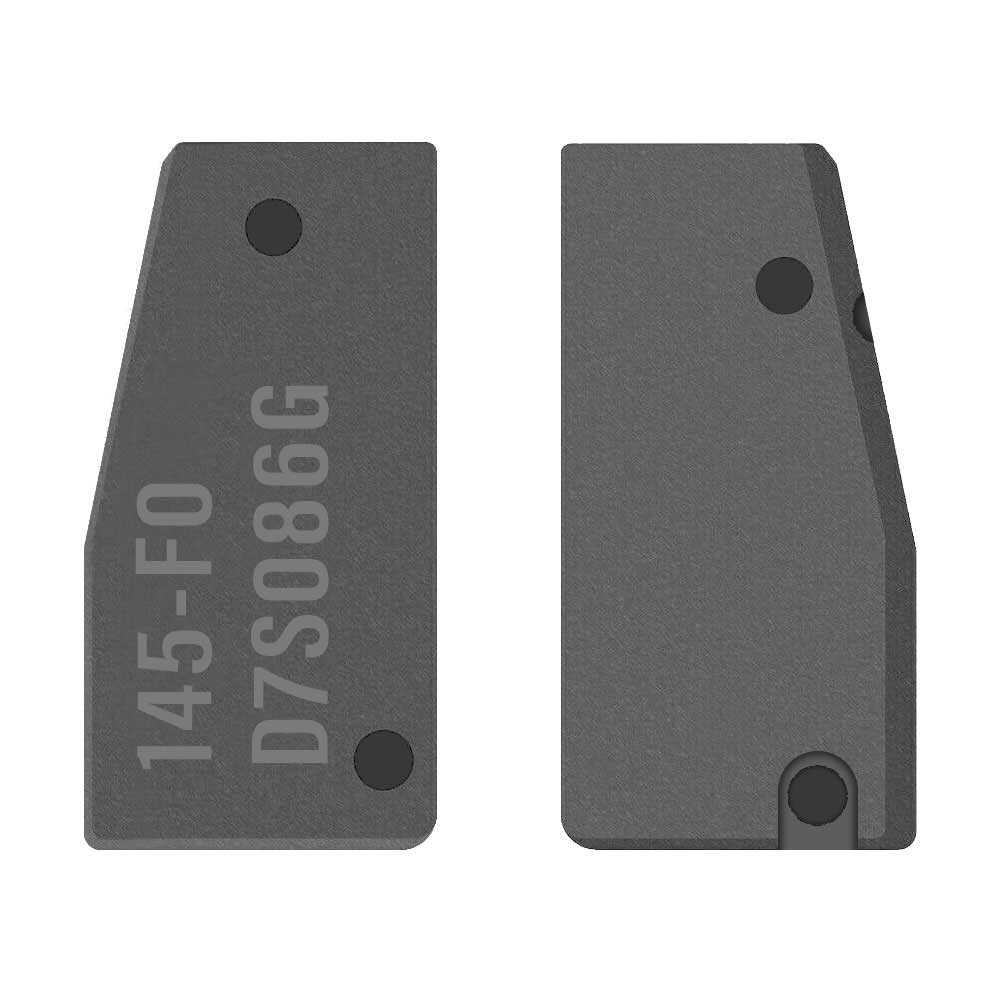
Transponder chip
4D-63 · ID49 (HITAG Pro)
Compatible FCC IDs

To pick the right part, match the part number or FCC ID printed on your original remote, or listed in the Ford parts catalogue, with the specifications on each listing.

A new smart key or remote has to be programmed to the car with a key programmer, and when every key is lost the programming is still done through the diagnostic port. We ship the key worldwide from the UAE by DHL and FedEx; any automotive locksmith or the dealer can cut and program it.
Programming the Ford F-550 2015 key

Key with a blade (regular or flip)

2 tools list this key. 1 of them list all keys lost.

  • OBDSTAR Key Master G3
    • Add key(US / Canada cars)
    • All keys lost(US / Canada cars)
  • Advanced Diagnostics Smart Pro
    • Add key

All keys lost is listed by OBDSTAR Key Master G3. Advanced Diagnostics Smart Pro lists add key only.

Programming steps

Add key - on the car(US / Canada cars)

Needs: Turned ignition key (SecuriLock), two working programmed SecuriLock keys, the new SecuriLock key, already cut

  1. Put the first working key in the ignition and switch from OFF to ON. Hold ON for 1 to 10 seconds.
  2. Switch back to OFF and pull the first key out.
  3. Wait at least 3 seconds but no more than 10, then put the second working key in and switch from OFF to ON. Hold ON for 1 to 10 seconds.
  4. Switch back to OFF and pull the second key out.
  5. Wait at least 3 seconds but no more than 10, then put the new key in and switch from OFF to ON. Hold ON for 1 to 10 seconds. The new key is now learned.
  6. For each extra new key, run steps 1 to 5 again from the start.
  7. Check the result: the new key starts the engine and its remote buttons work.
Watch out: The car holds 8 keys at most, and only SecuriLock keys work. Every ON hold is 1 to 10 seconds and every gap between keys is 3 to 10 seconds; outside these windows the car does not enter learn mode. Two working programmed keys are needed; with fewer, this method cannot be used.
Add key - on the car(US / Canada cars)

Needs: two working keys, new transponder key cut to the vehicle

  1. Cut the new SecuriLock key (or integrated keyhead key) to the vehicle and keep it next to two keys that already start the engine.
  2. Put the first working key in the ignition, switch to ON for 3 to 10 seconds, then switch OFF and pull it out.
  3. Within 10 seconds put the second working key in, switch to ON for 3 to 10 seconds, then OFF and pull it out.
  4. Within 10 seconds put the new key in and switch to ON; keep it ON for 6 to 10 seconds.
  5. Check: the new key starts the engine and the theft light does not flash. A flashing theft light means it was not learned.
  6. For each extra key wait about 20 seconds and start again from step 2.
Watch out: Needs two different keys that already start the car; one key, a copied (cloned) key or no key means tool work. Maximum eight keys on the vehicle; only four of them can be remote head keys (IKT). Trucks built without a chip in the key (many diesels) have nothing to program: check the key first. If it fails twice, stop and use a tool instead of repeating.
Add key - OBDSTAR Key Master G3 / Key Master 5(US / Canada cars)

Needs: new transponder key cut to the vehicle, battery maintainer

  1. Connect the tool to the OBD port and a battery maintainer; select IMMO > Ford / Lincoln > the model, years and key type.
  2. Read the key count first and note it.
  3. Put the new key in the ignition, switch ON and choose Add key.
  4. Let the tool get security access: a timed wait of about 10 minutes; keep the ignition ON and do not interrupt it.
  5. When the tool reports the key is programmed, leave the new key at ON for about 20 seconds, then switch OFF.
  6. Read the key count again, then start the engine with the new key and with an old key.
Watch out: Keep the battery voltage stable through the timed wait; a drop means starting the wait again. Maximum eight keys. With no working key left, use All keys lost instead: Add key does not erase the old keys. Trucks built without a chip in the key (many diesels) have nothing to program: check the key first.
All keys lost - OBDSTAR Key Master G3 / Key Master 5(US / Canada cars)

Needs: two new transponder keys cut to the vehicle, battery maintainer

  1. Cut two new keys; the car will not start with fewer than two learned keys.
  2. Connect the tool to the OBD port and a battery maintainer; select IMMO > Ford / Lincoln > the model, years and key type.
  3. Put the first new key in the ignition, switch ON and choose All keys lost (erase keys and program).
  4. Let the tool get security access: a timed wait of about 10 minutes; do not switch off.
  5. Let the tool erase all stored keys; follow its prompts to switch OFF and back ON so the first key is learned.
  6. When asked, insert the second new key and switch ON for about 10 seconds.
  7. Confirm the tool reports two keys, then start the engine with both keys.
Watch out: All stored keys are erased: bring every key the customer keeps and program them in the same session. With only one key learned the engine will not start and the theft light flashes: a second different key is required. Trucks built without a chip in the key (many diesels) have nothing to program: check the key first.

When the key changed

Smart key (push to start)

  • from 2017Chip: ID49FCC: M3N-A2C93142300(US / Canada cars)Push-to-start trims; several fob frequencies exist.

Key with a blade (regular or flip)

  • 2011 - 2016This yearChip: 4D-63Blade: H75FCC: CWTWB1U793(US / Canada cars)80-bit version; some trucks have no chip in the key.
  • 2017 - 2022Chip: ID49Blade: HU101FCC: N5F-A08TAA, N5F-A08TDA(US / Canada cars)Flip key; 315 MHz and 902 MHz versions: read the FCC id.
  • from 2023Chip: ID49434 MHzBlade: HU198FCC: N5F-A08TBLP(US / Canada cars)Flip key, 434 MHz.

Check coverage first: support depends on the tool's software version and the exact model. A tool that is not shown here may still cover this car.

Frequently asked questions

Which keys fit the Ford F-550 2012–2016?

5 listings fit the Ford F-550 2012–2016: remote keys, key shells, emergency blades and key blanks, in 3-button versions. Match the part number or FCC ID printed on your original key with the specifications on each listing.

Which transponder chip does the Ford F-550 2012–2016 key use?

The listings for this car carry: 4D-63 · ID49 (HITAG Pro). Check the chip in each listing's specifications.

Which FCC IDs do Ford F-550 2012–2016 remotes carry?

The remotes listed for this car carry FCC ID 0UCD6000022 and CWTWB1U793. Match it with the FCC ID printed on your original remote.

Which tools program a Ford F-550 2012–2016 key?

The tool makers' coverage lists name OBDSTAR Key Master G3 and Advanced Diagnostics Smart Pro for this car; 1 of them lists all keys lost. Check your tool's latest coverage list before the job.