Skip to content

Mini Cooper 2012 Key Fob & Car Keys

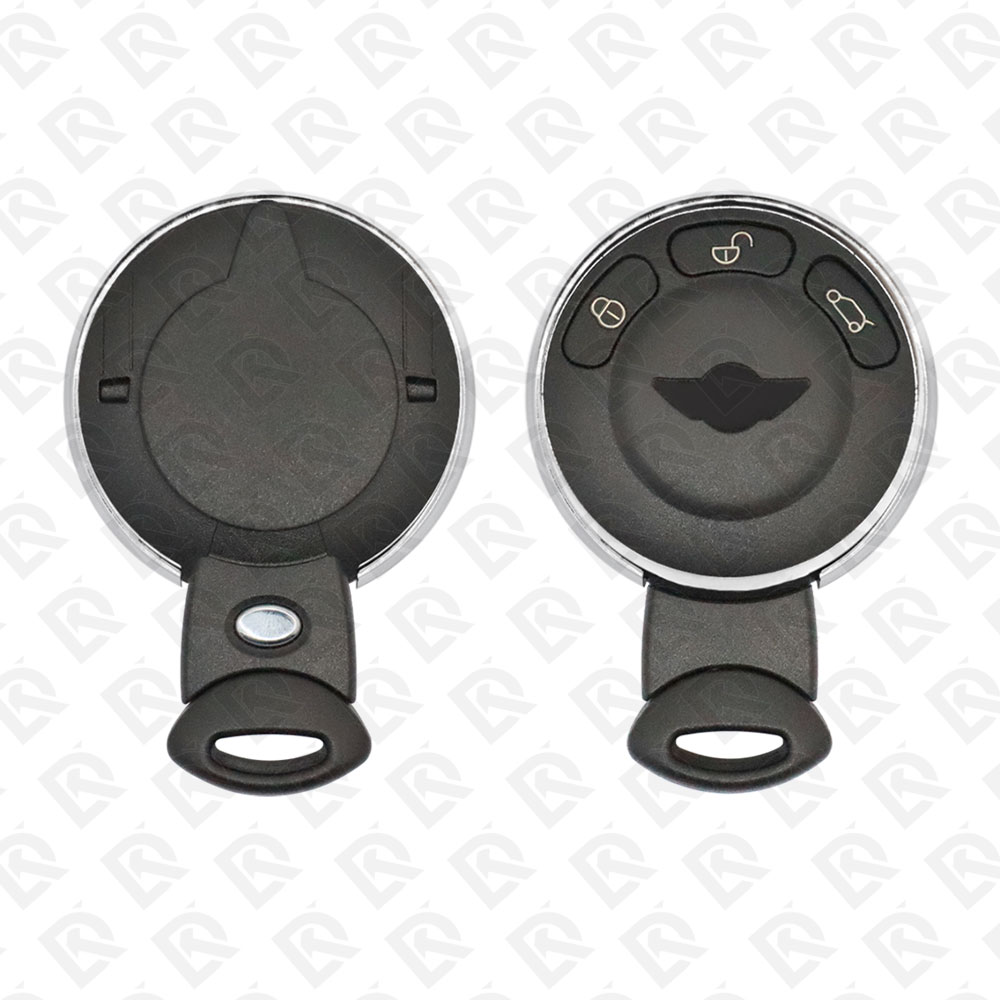
Keys that fit the 2008–2013 Mini Cooper: remote keys, 3 buttons, FCC ID IYZKEYR5602 or KR55WK49333, ID46 (HITAG 2) chip, 315 MHz, 433 MHz or 868 MHz. 8 compatible keys, remotes & shells (genuine and aftermarket) available for the 2012 Mini Cooper.

Last updated: 13 November 2026

Key specifications for the Mini Cooper 2008–2013

Key types
remote keys, key shells, emergency blades and key blanks
Frequency
315 MHz, 433 MHz and 868 MHz
Buttons
3-button
Transponder chip
ID46 (HITAG 2)
Blade profile
HU92RP
Part numbers
3452819-01 · MINI3456368-03 / MINI3456368-02
Compatible FCC IDs

To pick the right part, match the part number or FCC ID printed on your original remote, or listed in the Mini parts catalogue, with the specifications on each listing. The frequency depends on the market the car was sold in, so check 315 MHz, 433 MHz and 868 MHz against your original before ordering.

A new smart key or remote has to be programmed to the car with a key programmer, and when every key is lost the programming is still done through the diagnostic port. We ship the key worldwide from the UAE by DHL and FedEx; any automotive locksmith or the dealer can cut and program it.

Programming the Mini Cooper 2012 key

Smart key (push to start)

4 tools list this key. 3 of them list all keys lost.

All keys lost is listed by Xhorse VVDI Key Tool Plus, Autel IM508S and Autel IM608 II / IM608 Pro II. Xhorse VVDI2 lists add key only.

Programming steps

Add key - Xhorse VVDI Key Tool Plus / VVDI2 (BMW)

Needs: working key, blank BMW key (dealer key is written by the tool)

  1. Switch on the hazard lights and press the brake a few times to wake the CAS, then connect by OBD and let the tool detect the CAS type; note the CAS ID.
  2. Open Key Learn and run Get Key Info: it reads the key table, cutting code and remote frequency. Save the key info file.
  3. Pick an unused key position.
  4. Put the blank key in the programmer and choose Prepare dealer key with programmer. On an encrypted CAS3+ / ISTAP the tool asks whether you have a working key: answer yes.
  5. Try the new key in the car; if a position was already used, run Add key so the CAS accepts it.
  6. Clear the fault codes and the shadow memory, then test start and remote.
Watch out: If a dealer key fails to write, unlock the key with the saved key info before trying again. ISTAP CAS3+ updates by OBD can corrupt the CAS; work on stable power or do it on the bench.
All keys lost - Autel MaxiIM IM608 / IM508S + XP400 Pro (bench)

Needs: blank BMW key, APA106 / APA109 cable, engine ISN (read from the DME, for example with G-BOX3), bench power

  1. Read the engine ISN from the DME first (G-BOX3 or another DME reader) and note it.
  2. Remove the CAS, open it and connect the XP400 Pro with the APA106 / APA109 cable as the board diagram in the tool shows.
  3. In IMMO, BMW, CAS3 / CAS3+, ECU operation, read the EEPROM and the flash for the mask the tool names and save both files.
  4. Open Key operation, Make key with file, load the EEPROM file and check VIN, mileage and frequency.
  5. Pick an unused key position, choose Write key and Lost all keys, enter the ISN and the key type, then put the blank key in the XP400 Pro and write it.
  6. Save the new EEPROM file and write it back to the CAS when the tool tells you to (not on an ISTAP CAS, where the key is written without changing the CAS).
  7. Refit the CAS and start the car with the new key; test the remote.
Watch out: Read the EEPROM twice and compare before writing anything back. Keep the original EEPROM and flash files: they are the only way back if the CAS stops working. On a Mini the CAS sits high behind the dashboard; taking it out for bench work takes about two hours.
All keys lost - Xhorse VVDI Key Tool Plus (BMW, OBD)

Needs: blank BMW key, engine ISN (encrypted CAS3+), battery support unit

  1. Switch on the hazard lights and press the brake a few times to start OBD communication; connect and detect the CAS type.
  2. Choose Generate keys via OBD, Read key information; answer No to the working-key question and put the blank key in the ignition slot.
  3. Save the key information file.
  4. Choose Prepare dealer key with programmer and an unused position. On an encrypted CAS3+ the tool asks for the engine ISN: enter it if you have it, or let the tool read the CAS EEPROM and continue with File Make Key.
  5. Answer the key-type question (smart or not) and let the tool write the dealer key and a new EEPROM file.
  6. Try to start with the new key. Write the new EEPROM back only if the tool asks for it; never write it back on an ISTAP CAS, or if the ignition already switches on.
Watch out: Xhorse recommends doing CAS3+ ISTAP all keys lost on the bench, which is safer than OBD. Keep a stable supply; a dropped OBD session can corrupt the CAS.

When the key changed

Smart key (push to start)

  • 2007 - 2013This yearChip: ID46R56 (CAS3 / CAS3+) slot key; R57 / R60 to 2015-2016
  • 2014 - 2023Chip: ID49F56 / F55 / F54 / F57 / F60, FEM / BDC

Key with a blade (regular or flip)

  • 2002 - 2005Chip: ID44Blade: HU92R50 / R53, EWS3 remote head key

Check coverage first: support depends on the tool's software version and the exact model. A tool that is not shown here may still cover this car.

Frequently asked questions

Which keys fit the Mini Cooper 2008–2013?

8 listings fit the Mini Cooper 2008–2013: remote keys, key shells, emergency blades and key blanks, in 3-button versions. Match the part number or FCC ID printed on your original key with the specifications on each listing.

What frequency does the Mini Cooper 2008–2013 remote use?

Listings for the Mini Cooper 2008–2013 come in 315 MHz, 433 MHz and 868 MHz: the frequency depends on the market the car was sold in, so check it against your original remote before ordering.

Which transponder chip does the Mini Cooper 2008–2013 key use?

The listings for this car carry: ID46 (HITAG 2). Check the chip in each listing's specifications.

Which FCC IDs do Mini Cooper 2008–2013 remotes carry?

The remotes listed for this car carry FCC ID IYZKEYR5602 and KR55WK49333. Match it with the FCC ID printed on your original remote.

Which blade profile does the Mini Cooper 2008–2013 key use?

The blades listed for this car: HU92RP.

Which tools program a Mini Cooper 2008–2013 key?

The tool makers' coverage lists name Xhorse VVDI Key Tool Plus, Autel IM508S, Autel IM608 II / IM608 Pro II and Xhorse VVDI2 for this car; 3 of them list all keys lost. Check your tool's latest coverage list before the job.