
Mitsubishi Eclipse 2005 Key Fob & Car Keys
3 compatible keys, remotes & shells (genuine and aftermarket) available for the 2005 Mitsubishi Eclipse.
Last updated: 12 November 2026
Key specifications for the Mitsubishi Eclipse 2000–2005
- Key types
- key blanks
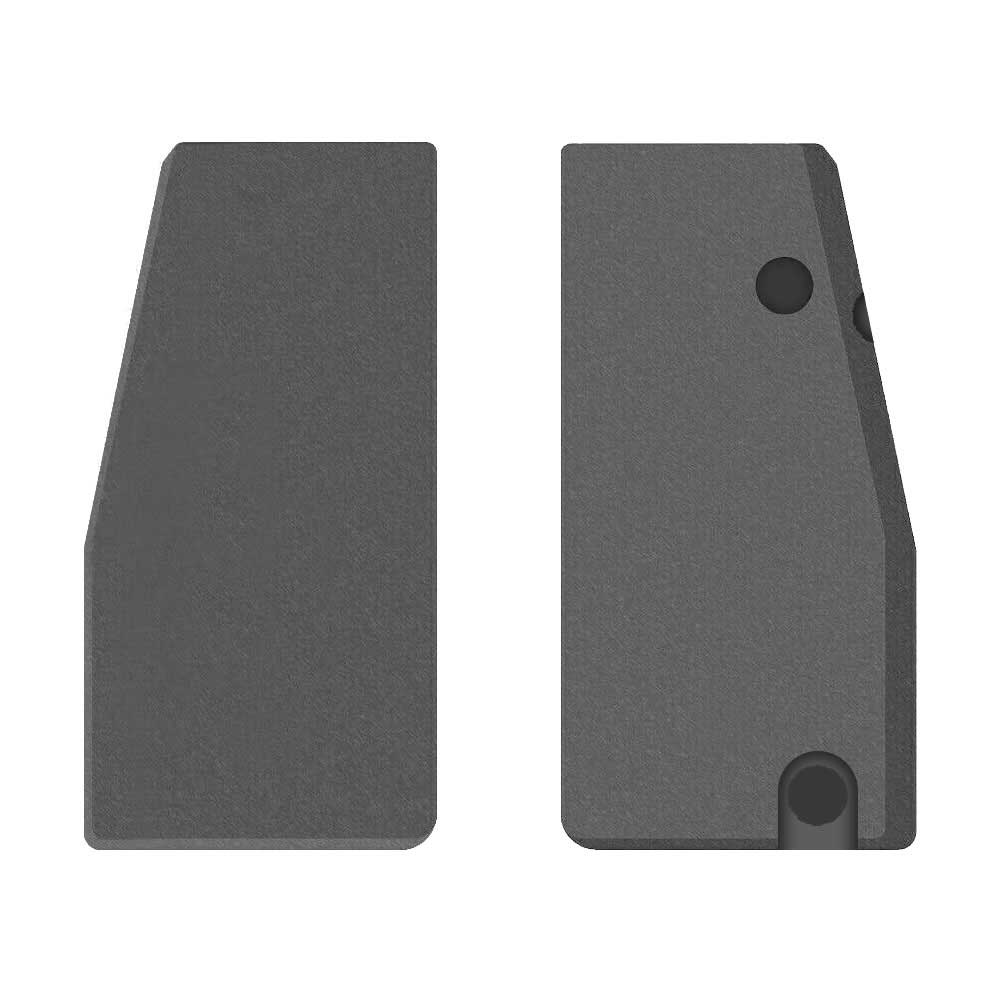
- Transponder chip
- 4D-60
To pick the right part, match the part number or FCC ID printed on your original remote, or listed in the Mitsubishi parts catalogue, with the specifications on each listing.
Shells and blades reuse the original electronics, and a blade needs cutting by a locksmith. We ship worldwide from the UAE by DHL and FedEx.
Programming the Mitsubishi Eclipse 2005 key
Key with a blade (regular or flip)
2 tools list this key. 1 of them list all keys lost.
- OBDSTAR Key Master G3
- Add key
- All keys lost
- Remote
- Add key
All keys lost is listed by OBDSTAR Key Master G3. Lonsdor K518 lists add key only.
Programming steps
Add key - on the car(US / Canada cars)
Needs: two working keys, new 4D-61 key cut to the lock
- Cut the new key first; you need two keys that already start the car.
- Insert the first working key, switch ON for at least 5 seconds, then OFF and remove it.
- Within 7 seconds insert the second working key and switch ON: the immobiliser lamp blinks twice (registration mode).
- Switch OFF, remove it, and within 7 seconds insert the new key and switch ON.
- The lamp stays on for about 3 seconds when the key is registered; 3 blinks means it failed.
- For more keys repeat the last two steps within 30 seconds (up to 8 keys in total).
- Leave the ignition ON for over 30 seconds to leave the mode, then start the engine with every key.
Without a tool
The remote is programmed on the car, without a tool. Up to 4 remotes.
Programming steps
Program the remote without a tool(US / Canada cars)
Needs: every remote to be programmed, a jumper wire for the data port
- Find the data port under the driver's side dash, usually to the right of the steering column.
- Insert the key and leave the ignition at OFF.
- Check that terminals 1 and 4 have metal pins, then bridge terminals 1 and 4 with a jumper wire. Leave it connected until the end.
- Within 10 seconds of connecting the wire, press the hazard switch 6 times. The locks lock and unlock once: programming mode is on.
- Press LOCK on the remote 3 times within 10 seconds. The locks lock and unlock once to confirm.
- Repeat the LOCK presses on each extra remote within 1 minute, up to 4 remotes including existing ones. The locks lock and unlock once after each.
- Disconnect the jumper wire and remove the key.
When the key changed
Smart key (push to start)
- 2018 - 2023Chip: ID47(GCC / Europe cars)Eclipse Cross push-start key; match the part number
- 2018 - 2023Chip: ID47315 MHzFCC: OUCGHR-M013(US / Canada cars)Eclipse Cross push-start key
Key with a blade (regular or flip)
- 2000 - 2005This yearChip: 4D-61(US / Canada cars)Plain transponder key; separate keyless remote
- 2006 - 2012Chip: ID46FCC: OUCG8D-620M-AMIT16A key to early 2007, MIT17 key after
- 2018 - 2023Chip: ID47315 MHzFCC: OUCJ166N(US / Canada cars)Eclipse Cross remote head key (turn-key trims)
Check coverage first: support depends on the tool's software version and the exact model. A tool that is not shown here may still cover this car.
Frequently asked questions
Which keys fit the Mitsubishi Eclipse 2000–2005?
3 listings fit the Mitsubishi Eclipse 2000–2005: key blanks. Match the part number or FCC ID printed on your original key with the specifications on each listing.
Which transponder chip does the Mitsubishi Eclipse 2000–2005 key use?
The listings for this car carry: 4D-60. Check the chip in each listing's specifications.
Which tools program a Mitsubishi Eclipse 2000–2005 key?
The tool makers' coverage lists name OBDSTAR Key Master G3 and Lonsdor K518 for this car; 1 of them lists all keys lost. Check your tool's latest coverage list before the job.
Can the Mitsubishi Eclipse 2000–2005 remote be programmed without a tool?
The remote is programmed on the car, without a tool. Up to 4 remotes.


