Skip to content
  1. Home
  2. Keys and Remotes
  3. Remote Keys
  4. KEYDIY NB18 Universal Flip Remote Key 4-Button Chevrolet Style - NB Series with Built-In Multi-Function Chip, No Blade - Aftermarket · New
KEYDIY NB18 Universal Flip Remote Key 4-Button Chevrolet Style - NB Series with Built-In Multi-Function Chip, No Blade - Aftermarket · New

KEYDIY NB18 Universal Flip Remote Key 4-Button Chevrolet Style - NB Series with Built-In Multi-Function Chip, No Blade - Aftermarket · New

SKU: B06283

$14.04
 50.00

Ships the next working day if you order within 8 hours 43 minutes

Specifications

KEYDIY NB18 universal 4-button flip remote, Chevrolet / GM style, NB Series with built-in 5-function chip incl. NB-ETT-GM, no blade.

Easy Return:
Make free local returns for defects on qualifying purchases
Money-back protection:
Claim a refund if your order doesn't ship, is missing, or arrives with product issues
Aftermarket · New

KEYDIY NB18 Universal Flip Remote Key 4-Button Chevrolet Style

KEYDIY NB Series · Chevrolet / GM flip key look · Lock and Unlock side by side, Trunk, red Panic · built-in chip with 5 functions · blade not included

3+1
Buttons
5
Chip functions
6
KEYDIY generators
CR2032
Battery, not included

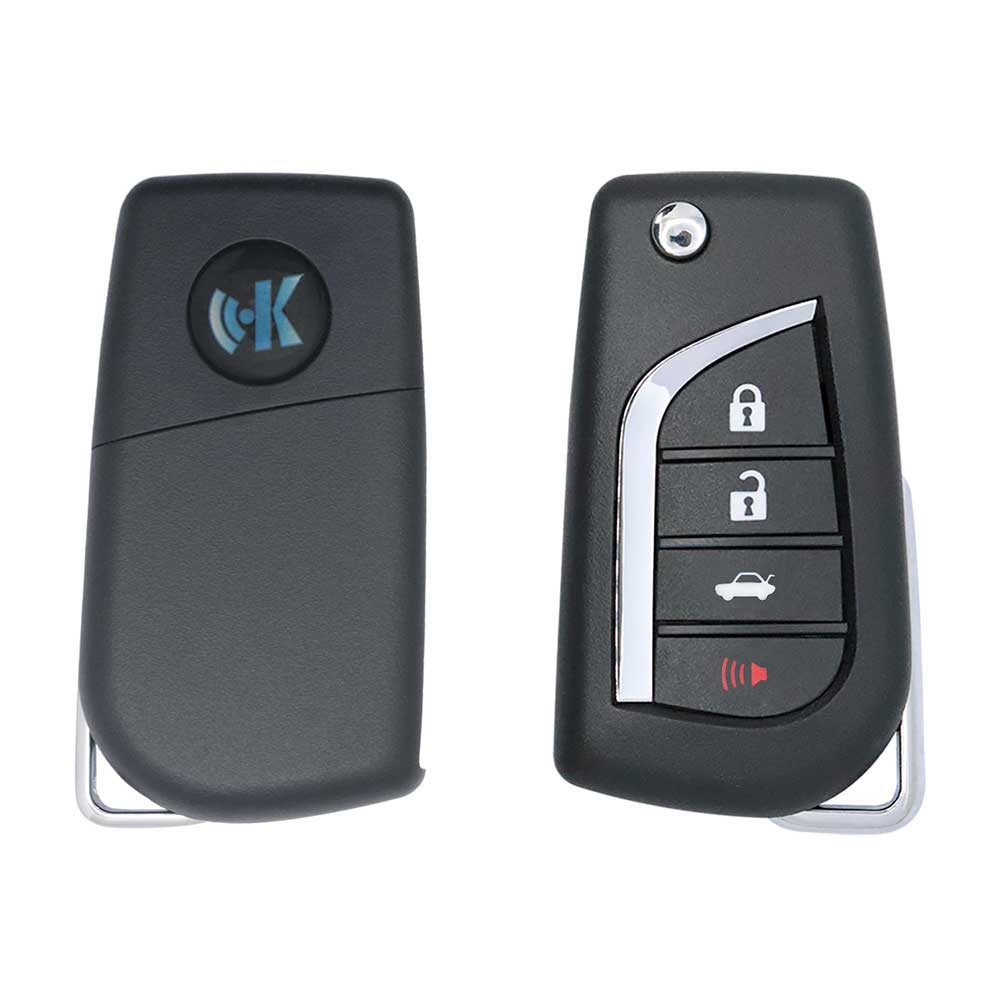
⭐ The KEYDIY NB18 copies the Chevrolet / GM 4-button flip key: Lock and Unlock side by side at the top, a wide Trunk button below and a red Panic key at the bottom. Its board carries a multi-function transponder, so one generation writes the remote data and sets the chip, NB-ETT-GM for the newer Buick, Chevrolet and Opel keys among its five functions. The blade and the battery are the only parts you add.

⚙️ Key features

Five chip functions

NB-ATT-36 (default), NB-ATT-46, NB-ATT-Chrysler, NB-ETT-GM and NB-XTT-Honda (47), chosen during generation.

GM button layout

Lock and Unlock paired on top, Trunk in the middle, a red Panic at the bottom, with a status light between the top pair.

Frequency to match

The KEYDIY device writes the frequency of the remote being replaced.

Built on KEYDIY devices

Generated on KD-X2, KD-MAX, KD900, KD900+, KD-Mini and KD-X4.

💎 Benefits

Remote and transponder together

No separate chip to buy or fit when the KD app supports the car with one of the five functions.

A familiar key for GM owners

The flip shape and red Panic button match what Chevrolet drivers expect to carry.

Reaches beyond GM

The same blank also serves 46 type, Chrysler and Honda 47 keys through its other settings.

Rewritable

A KEYDIY device can write it again if the job changes before it is learned.

👥 Who it's for

Automotive locksmiths

4-button flip keys with remote and chip in one part for GM style jobs.

Fleet key work

Replacement remote keys on mixed fleets without ordering car-specific keys.

KEYDIY users

Technicians who already generate NB remotes and want the Chevrolet shape on the shelf.

🧰 Supported coverage

🧰 KEYDIY GENERATORS
Generators
KD-X2, KD-MAX, KD900, KD900+, KD-Mini, KD-X4
Remote data
Frequency and button codes written at generation
Database
KD app vehicle list, updated by KEYDIY
🧠 CHIP FUNCTIONS
Built-in chip
Multi-function, set at generation
Functions
NB-ATT-36, NB-ATT-46, NB-ATT-Chrysler, NB-ETT-GM, NB-XTT-Honda (47)
Default
NB-ATT-36
GM function
NB-ETT-GM, newer Buick, Chevrolet and Opel keys
🎨 SHELL STYLE
Look
Chevrolet / GM flip key
Layout
Lock and Unlock side by side, Trunk, Panic
Blade
Not included, flip blade fitted separately
The KD app names the remote profile and the chip function for each car: check it first and use the NB18 where the app lists it.

📦 What's included

✅ IN THE BOX

✔ 1 × KEYDIY NB18 universal flip remote with built-in chip, 4 buttons

❌ NOT INCLUDED

✘ Flip key blade

✘ CR2032 battery

✘ KEYDIY generator

📋 Specifications

📡 REMOTE
Model
NB18
Series
KEYDIY NB Series (built-in chip)
Buttons
4 (3+1)
Button functions
Lock, Unlock, Trunk, Panic
Key type
Flip remote key, Chevrolet / GM style
Frequency
Adjustable, set at generation
Color
Black
🔐 TRANSPONDER AND BLADE
Transponder chip
Built in, multi-function
Chip functions
NB-ATT-36, NB-ATT-46, NB-ATT-Chrysler, NB-ETT-GM, NB-XTT-Honda (47)
Factory setting
NB-ATT-36
Blade
Not included
🔋 POWER
Battery
CR2032 (not included)
📦 GENERAL
Weight
60 g
Condition
Aftermarket · New
Brand
KEYDIY

🛠️ Programming instructions

🔌GENERATE WITH A KEYDIY DEVICE, THEN ADD TO THE CAR

The NB18 leaves the factory blank with its chip on NB-ATT-36: the KEYDIY device writes the remote data and sets the chip function, then the car learns the key.

Look up the car: in the KD app or on the device, select make, model and year or the original key and check the profile names the NB18 and a chip function.
Generate: connect the NB18 and run the write; frequency, button codes and chip function go onto the board.
Chip: nothing to fit; the built-in transponder is now on the function the app named, NB-ETT-GM on the GM profiles.
Add to the car: learn the key with your immobiliser or diagnostic tool or the car's own procedure, then learn the remote buttons.
Blade: fit a KEYDIY-pattern flip blade in the car's profile and cut it to the original key.
Check coverage first: support depends on the tool's software version and the exact model year. Check the car and the chip function in the KD app's current database first: the NB18 only replaces keys the app lists for it.

Frequently Asked Questions

Common questions about this product
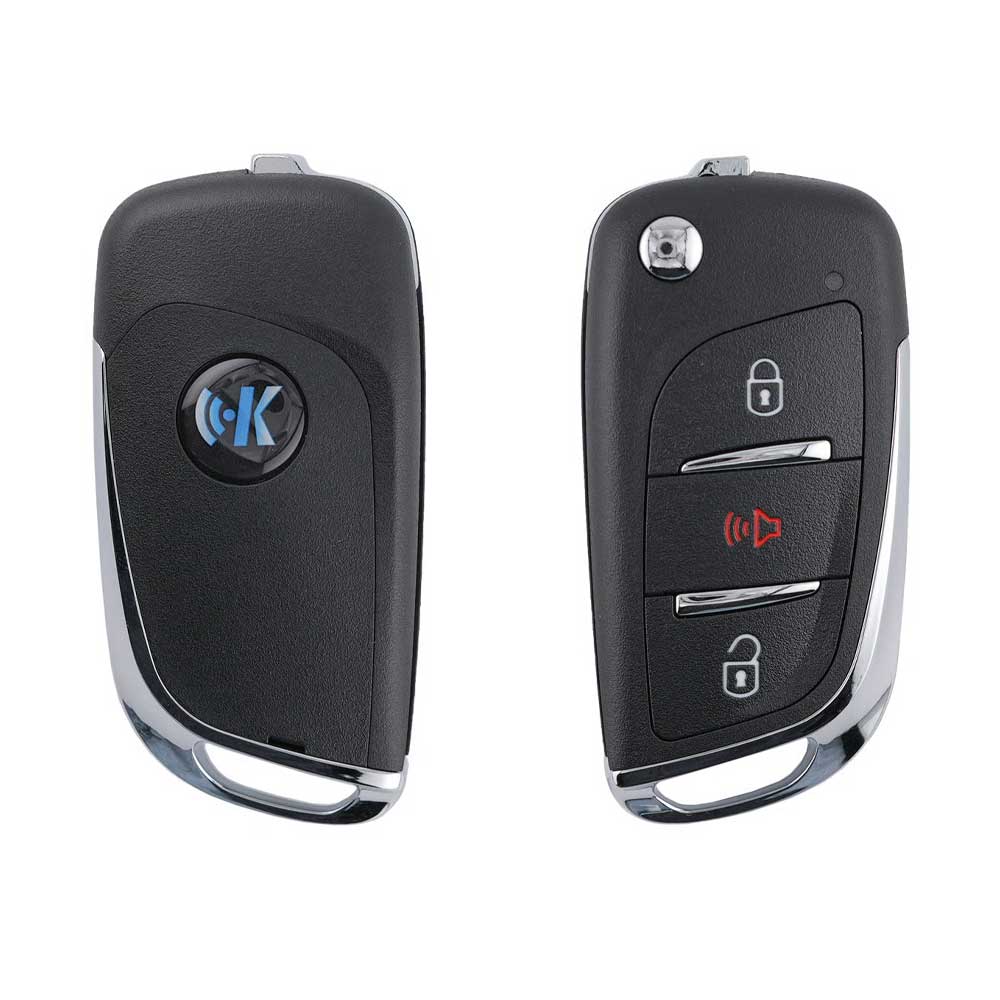
A universal KEYDIY NB Series flip remote in the Chevrolet / GM shape with Lock, Unlock, Trunk and Panic, and a multi-function transponder on the board. A KEYDIY generator writes the remote data and sets the chip, so one part replaces both remote and transponder.
Five: NB-ATT-36, the factory default; NB-ATT-46 for PCF7946 type keys; NB-ATT-Chrysler for Chrysler, Dodge and Jeep keys; NB-ETT-GM for newer Buick, Chevrolet and Opel keys; and NB-XTT-Honda for Honda keys with the 47 chip. The KD app picks one.
The generator does it. When the KD app profile for the car calls for NB-ETT-GM, the device sets that function during the same write as the remote data. Nothing is soldered or swapped, and the chip can be rewritten if the job changes.
KD-X2, KD-MAX, KD900, KD900+, KD-Mini and KD-X4. Find the car or the original key on the device or in the KD app, check that the profile names the NB18 and its chip function, then connect the remote and run the generation step.
No. Generation prepares the remote and the chip; the car still has to accept the key. Learn the transponder with your immobiliser or diagnostic tool, or with the car's own procedure, then add the remote buttons the way you would for an original key.
No. It covers only the immobiliser types behind its five functions. A Chevrolet on a different system, or one that needs a smart key, is outside its reach, so read the profile and chip function in the KD app before you take the job.
Neither. Fit a KEYDIY-pattern flip blade in the profile of the car's key and cut it to the original, and add one CR2032 lithium cell. Both are bought separately, which keeps the remote usable on cars with different blade profiles.
Three function buttons, Lock, Unlock and Trunk, plus a separate red Panic button at the bottom of the pad. Use the NB18 where the customer's original key has a Panic button; the KD app shows which layout the car's remote profile expects.