Skip to content

Mazda 5 2014 Key Fob & Car Keys

Keys that fit the 2014 Mazda 5: flip keys, remote keys and transponder keys, 2 or 3 buttons, FCC ID BGBX1T478SKE12501, 4D-63 chip. 8 compatible keys, remotes & shells (genuine and aftermarket) available for the 2014 Mazda 5.

Last updated: 12 November 2026

Key specifications for the Mazda 5 2014

Key types
flip keys, remote keys, transponder keys, key shells, emergency blades and key blanks
Buttons
2- and 3-button
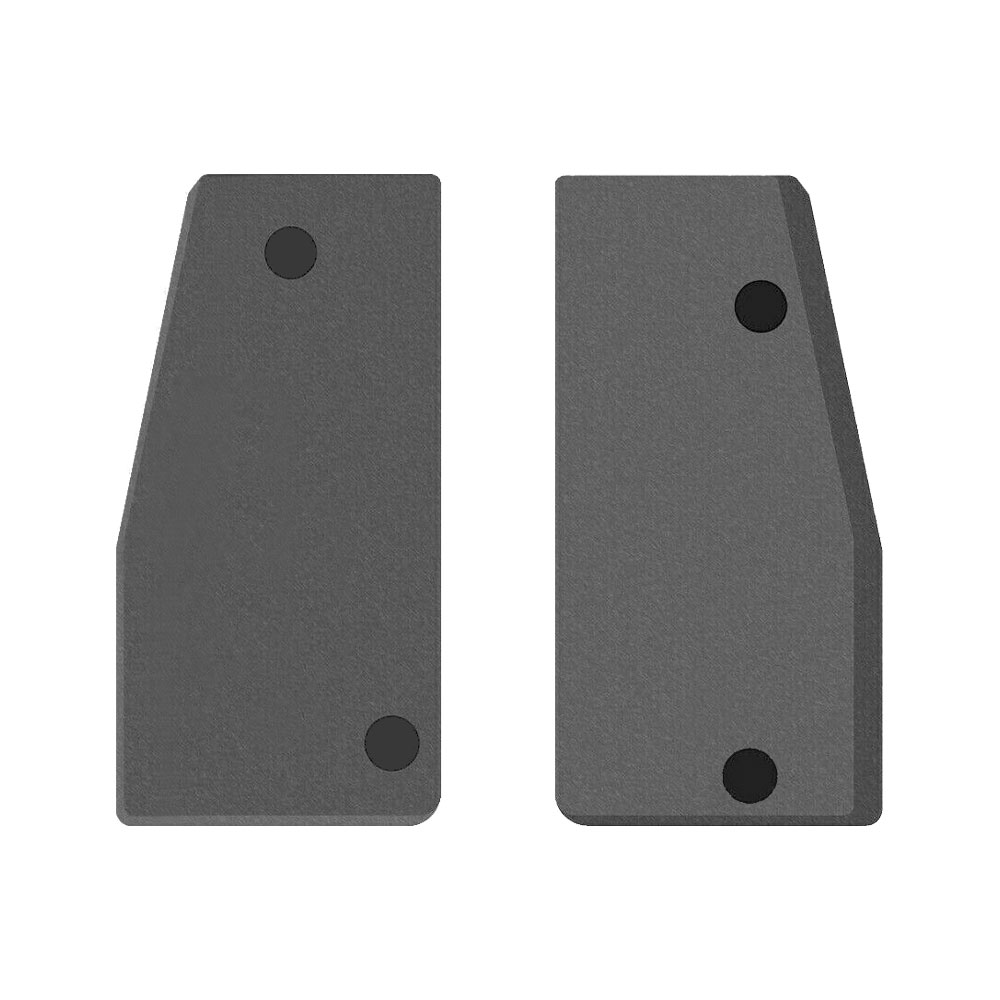
Transponder chip
4D-63
Blade profile
MZ24
Battery
CR2025
Compatible FCC IDs

To pick the right part, match the part number or FCC ID printed on your original remote, or listed in the Mazda parts catalogue, with the specifications on each listing.

A new smart key or remote has to be programmed to the car with a key programmer, and when every key is lost the programming is still done through the diagnostic port. We ship the key worldwide from the UAE by DHL and FedEx; any automotive locksmith or the dealer can cut and program it.
Programming the Mazda 5 2014 key

Key with a blade (regular or flip)

Programming steps

Add key - on the car(US / Canada cars)

Needs: Flip key, key part (transponder), two original working keys that start the car, the new key, already cut to the car

  1. Insert the first working key and turn the ignition ON without cranking. Keep it ON about 3 seconds, until the security light goes out.
  2. Turn the ignition OFF and remove the key.
  3. Within 10 seconds, insert the second working key and turn ON for at least 3 seconds, until the security light goes out. Turn OFF and remove it.
  4. Within 20 seconds, insert the new key and turn ON for at least 3 seconds, then turn OFF.
  5. The security light comes on for 3 seconds to confirm the new key is programmed.
Watch out: With one working key or none, this method does not work: the key needs a tool. The second key must go in within 10 seconds and the new key within 20 seconds.
Add key - on the car

Needs: two working original keys (not cloned copies), new key already cut, with 4D63 transponder

  1. Insert the first working key and turn it ON; wait about 3 seconds until the security light goes out, then turn OFF and remove it.
  2. Within 5 to 10 seconds insert the second working key, turn ON for about 3 seconds, then OFF and remove it.
  3. Within 20 seconds insert the new key and turn it ON for at least 3 seconds.
  4. The security light comes on for about 3 seconds and goes out when the key is learned; a flashing light means it failed (wait a minute and repeat).
  5. Repeat step 3 for any other new key, then start the car with every key.
Watch out: With only one working key, or none, a tool is needed. Cloned keys do not count as working keys for this procedure.

Without a tool

The remote is programmed on the car, without a tool.

Programming steps

Program the remote without a tool(US / Canada cars)

Needs: Flip key, remote part, every remote to be programmed

  1. Sit in the car, close all doors, then open the driver's door and leave it open.
  2. Within 24 seconds, insert the key and turn the ignition ON and OFF 3 times, leaving the key in. Then close and open the driver's door 3 times.
  3. The locks lock and unlock by themselves: programming mode is on. If they do not, start again.
  4. Press UNLOCK twice on the first remote. The locks cycle to confirm.
  5. One remote only: press any button twice on the same remote, wait for the locks to cycle, then press any button twice once more on it.
  6. Two remotes: press any button twice on the second remote, wait for the locks to cycle, then press any button twice again on the second remote.
  7. With three remotes: two presses of any button on the second one, let the locks cycle, then two presses on the third.
  8. Close the door and test every remote.
Watch out: The ignition and door cycles must be done within 24 seconds.

When the key changed

Key with a blade (regular or flip)

  • 2006 - 2015This yearChip: 4D-63Blade: MAZ24RFlip remote key on later cars; read 40 or 80-bit

Check coverage first: support depends on the tool's software version and the exact model. A tool that is not shown here may still cover this car.

Frequently asked questions

Which keys fit the Mazda 5 2014?

8 listings fit the Mazda 5 2014: flip keys, remote keys, transponder keys, key shells, emergency blades and key blanks, in 2- and 3-button versions. Match the part number or FCC ID printed on your original key with the specifications on each listing.

Which transponder chip does the Mazda 5 2014 key use?

The listings for this car carry: 4D-63. Check the chip in each listing's specifications.

Which FCC IDs do Mazda 5 2014 remotes carry?

The remotes listed for this car carry FCC ID BGBX1T478SKE12501. Match it with the FCC ID printed on your original remote.

Which blade profile does the Mazda 5 2014 key use?

The blades listed for this car: MZ24.

Can the Mazda 5 2014 remote be programmed without a tool?

The remote is programmed on the car, without a tool.